---
title: "Which HTML elements on the application can be captured as Event Attributes?"
slug: "which-ui-elements-can-you-capture-as-event-attributes"
updated: 2026-08-06T17:07:45Z
published: 2026-08-06T17:07:45Z
canonical: "support.whatfix.com/which-ui-elements-can-you-capture-as-event-attributes"
---
> ## Documentation Index
> Fetch the complete documentation index at: https://support.whatfix.com/llms.txt
> Use this file to discover all available pages before exploring further.
# Which HTML elements on the application can be captured as Event Attributes?
[Event Attributes](/product-analytics/docs/attributes) enable you to send additional contextual information along with User Actions.
Note:
Capturing Event Attributes is a Beta feature. Contact [support@whatfix.com](mailto:support@whatfix.com?Subject=Enable%20Event%20Attributes%20for%20my%20account&Body=Hi%20team%2C%0A%0AKindly%20enable%20Event%20Attributes%20for%20my%20account.) to enable it.
For example, along with the button click event, additional attributes such as the URL, the title of the page where it was clicked, the text on the button, and more, can be captured and sent to give context to the button click event.
For more information on use cases, see [What are Event Attributes?](/product-analytics/docs/attributes)
Note:
Use Trend Insights to visualize engagement with Event Attributes. For more information, see [Add Event Attributes to Trend Insights](/product-analytics/docs/add-event-attributes-to-insights).
The following UI elements can be captured as Event Attributes:
Info:
For more information on the various UI elements, see [W3 Schools](https://www.w3schools.com/html/default.asp).
| **Element Tag** | **Description** | **Property captured** | **Example** |
| --- | --- | --- | --- |
| input | The tag specifies an input field where the user can enter data. | value | 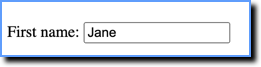 |
| button | The